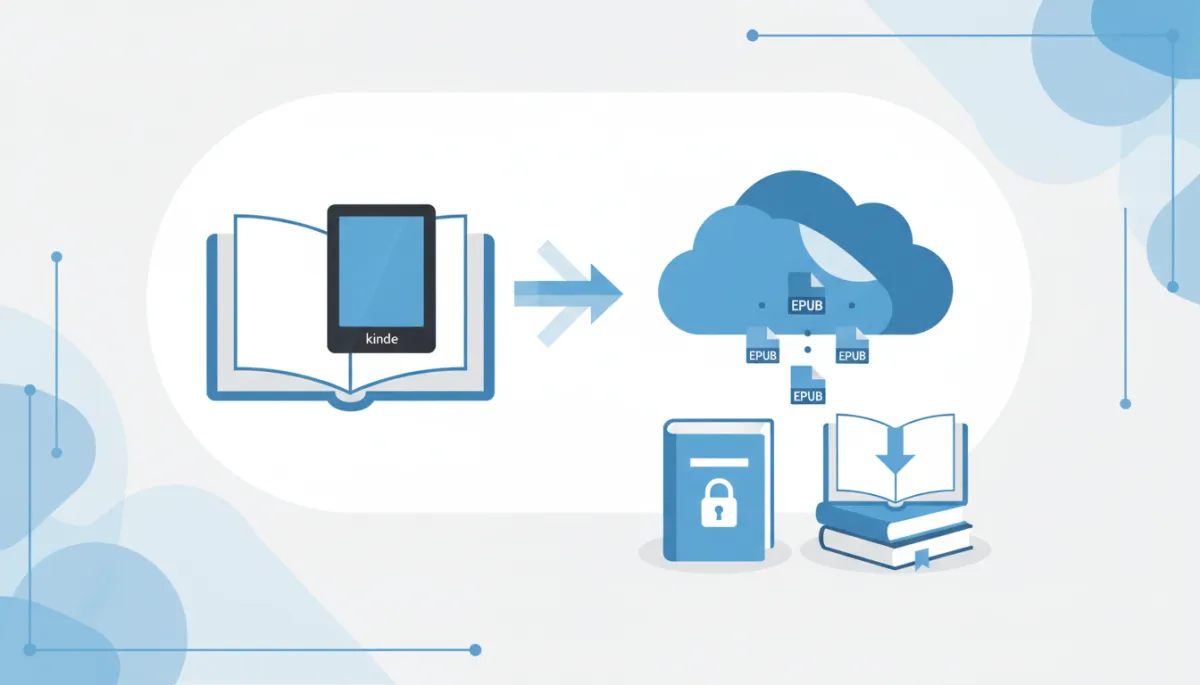
Amazon DRM Updates 2026: Why Your DRM-Free Kindle Books Are Now Downloadable EPUBs
Table of Contents
Amazon DRM Updates 2026: Why Your DRM-Free Kindle Books Are Now Downloadable EPUBs
Understanding the 2026 Shift: Why Amazon Switched to EPUB for DRM-Free Books
The Technical Landscape: Mechanics of Amazon’s 2026 DRM Infrastructure
Advanced Strategies for Managing Your Modern Kindle Library
Common Mistakes When Navigating the 2026 DRM Updates
Step-by-Step Guide: How to Download and Use Your DRM-Free Kindle EPUBs
The Wider Impact of Amazon’s EPUB Adoption on the Ebook Market
Troubleshooting Common Kindle EPUB Delivery Issues
---
Understanding the 2026 Shift: Why Amazon Switched to EPUB for DRM-Free Books
For nearly two decades, the Kindle ecosystem was defined by a "walled garden" approach. If you bought a book, regardless of its copyright status, it was wrapped in Amazon’s proprietary file structure. However, the 2026 update marks a critical turning point in digital publishing history. Amazon has officially deprecated proprietary formats for DRM-free downloads, opting instead to align with the global industry standard: EPUB.
This wasn't an act of charity; it was a necessary infrastructure pivot driven by interoperability demands and the need to streamline the Kindle delivery backend.
The End of Proprietary AZW3 for Open Files
Historically, Amazon utilized AZW3 (KF8) and KFX formats to control the reading experience. While effective for layout retention, these formats created a friction point for users who purchased content directly from authors or other storefronts. Maintaining a proprietary conversion pipeline for non-protected files became technologically redundant.
By 2026, the maintenance cost of the "conversion engine", which transcoded standard EPUBs into AZW3, outweighed the benefits of a closed ecosystem. By allowing native EPUB downloads for DRM-free titles, Amazon has effectively removed the "translation layer," ensuring that the file you download is the exact file the publisher created, eliminating formatting errors introduced during conversion.
How the Send to Kindle Ecosystem Evolved
The precursor to this shift began years ago when Amazon stopped supporting MOBI files, but the 2026 update finalizes the evolution of the Send to Kindle architecture. Previously, sending an EPUB to your device triggered a cloud-based conversion process that often stripped advanced formatting or broke CSS styling.
Today, the Kindle cloud infrastructure treats DRM-free EPUBs differently. Instead of converting them, the system now performs a validation check to ensure the file isn't corrupt, then delivers it to the device's native rendering engine. This means complex layouts, tables, and embedded fonts in technical or academic texts now render on Kindle exactly as they do on competing devices like Kobo or Boox.
Defining DRM-Free in the Modern Kindle Era
In the context of the 2026 updates, DRM-Free has a specific definition. It does not simply mean "unprotected." It refers to a file that possesses complete portability.
No Encryption Keys: The file does not require a user-specific key to open.
Universal Compatibility: The downloaded file adheres to EPUB 3.3 standards, readable on any e-reader app without modification (e.g., Apple Books, Google Play Books, or Calibre).
Metadata Retention: Unlike the old AZW3 files, the new EPUB downloads retain high-fidelity metadata, ensuring your library organization remains intact across different platforms.
This shift signifies that Amazon no longer views the file format as the product; rather, the platform experience is the product, allowing the file itself to become standard.
The Technical Landscape: Mechanics of Amazon’s 2026 DRM Infrastructure
The 2026 shift to EPUB for DRM-free downloads represents a fundamental overhaul of Amazon's backend architecture. While the user interface remains familiar, the "plumbing" connecting the Kindle Store to your device has undergone significant re-engineering to support interoperability without sacrificing the proprietary reading experience Amazon is known for.
Differences Between KFX, AZW, and the New EPUB Standard
To understand the magnitude of this update, we must distinguish between the legacy containers and the new standard. Previously, Amazon relied on AZW3 (KF8) and KFX.
AZW3/MOBI: These were essentially modified wrappers around older HTML standards. They were robust but notoriously bloated and difficult to edit.
KFX: Introduced for high-fidelity typesetting, KFX is a compiled binary format. It fragments the book into multiple databases (text, images, fonts) to optimize rendering on low-power E-ink screens. However, this fragmentation made the files impossible to use outside the Kindle ecosystem.
The 2026 EPUB Standard: Amazon now treats EPUB 3.3 as the "Golden Master." Unlike KFX, an EPUB is essentially a zipped website (XHTML and CSS). It is non-fragmented and universal. By adopting this as the download format for DRM-free titles, Amazon eliminates the conversion errors that plagued the old "Send-to-Kindle" automated conversion process.
How Amazon Implements Soft vs. Hard DRM
The most critical technical distinction in the 2026 update is the bifurcation of Rights Management. Amazon now dynamically applies protection based on publisher settings at the moment of download.
Hard DRM (Encryption): Used for copyright-protected bestsellers. The file is encrypted using a unique key tied to your device’s serial number. Even if downloaded as an EPUB, the content is scrambled and unreadable without the decryption key managed by the Kindle hardware.
Soft DRM (Watermarking): This is the standard for the new "DRM-Free" category. Instead of encryption, Amazon utilizes metadata injection. The EPUB remains an open file readable by any app (Apple Books, Calibre, etc.). However, Amazon invisibly embeds transaction data—such as the purchase ID and account hash into the file's header code. This discourages mass piracy while allowing legitimate owners full control over their files.
The Role of Cloud Synchronization in File Format Delivery
Amazon’s Whispernet delivery system now operates as a dynamic content negotiator. In the past, Amazon stored one master file and converted it to KFX before delivery.
In the 2026 infrastructure, the cloud performs a "Device Capability Handshake."
Request: Your device requests a book.
Analysis: The cloud identifies if the target is a Kindle Scribe (which prefers KFX for rendering) or a PC download (which now defaults to EPUB).
Delivery:
If you are downloading via USB for backup, the cloud delivers the *Raw EPUB** with Soft DRM.
If you are syncing to a Kindle E-reader, the cloud may still deliver a *KFX wrapper** to utilize Amazon's proprietary font rendering engine, while maintaining the underlying EPUB structure for Whispersync page tracking.
This hybrid approach ensures that while your backup files are universal EPUBs, your on-device reading experience retains the specific typesetting optimization of the Kindle platform.
Advanced Strategies for Managing Your Modern Kindle Library
With the 2026 infrastructure update, Amazon has effectively dismantled a portion of its famous walled garden. Now that DRM-free titles are delivered as standard EPUB files rather than proprietary AZW3 or KFX formats, power users can manage their digital shelves with the flexibility formerly reserved for music or photo collections. It is time to treat your library not just as a content stream, but as a permanent digital asset.
Cross-Platform Interoperability: Moving Beyond the Kindle App
For over a decade, reading a Kindle purchase meant being tethered to a Kindle e-reader or the official app. The shift to direct EPUB downloads eliminates this constraint for DRM-free titles. You can now build a device-agnostic reading ecosystem.
* Unified Reading Apps: You are no longer forced to switch between apps for library books (Libby) and purchased books. Import your Amazon EPUBs directly into versatile readers like Apple Books, Google Play Books, or Moon+ Reader. This consolidates your reading life into a single interface.
* Hardware Freedom: If you prefer the tactile buttons of a Kobo or the open architecture of an Android-based E-Ink tablet (like Boox), you no longer need to convert files. Simply drag and drop your Amazon downloads directly onto these devices.
* Cloud Syncing: By utilizing cloud-capable readers, you can create your own synchronization loop. For example, uploading your EPUB to Google Play Books automatically syncs your reading position across web, Android, and iOS, replicating Amazon’s "Whispersync" without relying on Amazon servers.
Leveraging EPUB Metadata for Better Organization
Amazon’s store metadata is optimized for sales algorithms, not personal archival. When you download the raw EPUB, you gain write-access to the file's internal data. Using library management software like the industry-standard Calibre, you can sanitize and standardize your collection.
Series Consistency: Amazon often lists books with inconsistent series formatting (e.g., "Vol 1" vs. "Book One"). You can edit the metadata to ensure your e-reader groups series chronologically and displays them correctly.
Tagging Hierarchies: Implement a custom tagging system (e.g., #ToRead, #Reference, #SciFi-Hard) that gets embedded directly into the file. This allows for granular sorting that survives file transfer between devices.
Cover Standardization: High-resolution screens on modern tablets often reveal the low quality of older Kindle cover art. You can now replace the embedded cover image with high-definition versions, ensuring your digital shelf looks pristine on 2026-era 300 PPI displays.
Automating Backups of DRM-Free Purchases
The most critical advantage of the 2026 update is digital sovereignty. While Amazon’s cloud is reliable, account bans or licensing disputes can still lead to loss of access. Treat your DRM-free EPUBs as you would critical documents by implementing a 3-2-1 backup strategy.
Local Archive: Designate a master folder on your computer for all downloaded EPUBs. Do not rely solely on the "My Content and Devices" page.
Automated Cloud Replication: Set your local library folder to automatically sync with a service like Dropbox, OneDrive, or a private Nextcloud instance. This ensures that the moment you download a book and save it to your folder, an off-site backup is created instantly.
Cold Storage: periodically back up your entire library to an external SSD or a Network Attached Storage (NAS) drive.
By moving from a "stream-and-read" mentality to an "asset management" mentality, you ensure that your library remains accessible, organized, and truly yours, regardless of future changes to Amazon’s ecosystem.
Common Mistakes When Navigating the 2026 DRM Updates
While Amazon’s 2026 decision to align with the industry-standard EPUB format for DRM-free titles is a massive win for consumer rights and library portability, the transition has not been without friction. For users accustomed to over a decade of proprietary formats like AZW3 and KFX, "unlearning" legacy workflows is difficult. To ensure you retain access to your library without corrupting your metadata or locking yourself out of content, avoid these three critical pitfalls.
Confusing Download and Transfer via USB with Send to Kindle
The most frequent technical error occurs when users conflate direct file transfer with cloud delivery. Previously, using the "Download and Transfer via USB" option provided a proprietary file specifically keyed to a registered device serial number. In the 2026 update, for DRM-free titles, this button now generates a standard source EPUB.
The mistake happens when users attempt to treat this source EPUB the same way they treat a "Send to Kindle" email attachment.
The Error: Users manually drag the downloaded EPUB into the
documentsfolder of an older Kindle (pre-2024 models) that has not received the Firmware 5.18.2 update. These older devices cannot natively render the EPUB engine without the cloud conversion step.The Fix: If you are using "Download and Transfer via USB," ensure your e-reader is running the latest firmware that supports native EPUB rendering. If you are using an older device, you must still use the "Send to Kindle" service to trigger the cloud conversion layer, or use software like Calibre to convert the EPUB to AZW3 before sideloading.
Assuming All EPUBs are DRM-Free
A dangerous misconception is treating the file extension .epub as a guarantee of open access. The 2026 infrastructure update changed the container format, but it did not universally remove the digital lock.
Many major publishers still require Digital Rights Management (DRM) on their files. Amazon now delivers these as Encrypted EPUBs.
The Error: Attempting to open a downloaded Amazon EPUB in third-party readers (like Apple Books, Kobo, or generic PDF/EPUB viewers) simply because the file extension looks compatible.
The Fix: Always verify the "Simultaneous Device Usage" section on the book’s product page. If it does not explicitly state "Unlimited" or "DRM-Free," that EPUB is encrypted. It will only open on authorized Kindle apps and devices, regardless of the file format.
Ignoring Region-Specific Format Restrictions
The rollout of the EPUB standard is not legally uniform across all marketplaces. While Amazon.com (US) and Amazon.co.uk (UK) have fully adopted the standard for direct downloads, other marketplaces are bound by different distribution agreements.
The Error: Users with multi-region accounts often assume their entire library has migrated to EPUB. However, titles purchased through Amazon.co.jp or Amazon.de may still default to KFX downloads due to strict regional publisher contracts regarding format integrity.
The Fix: Do not batch-download your library assuming a single format. When backing up your library, inspect the file type of each download. If you attempt to import a region-locked KFX file into an EPUB-only ecosystem, the file will be unreadable. Treat your library management as a region-specific task.
Step-by-Step Guide: How to Download and Use Your DRM-Free Kindle EPUBs
The 2026 infrastructure update represents the most significant shift in Amazon’s ecosystem since the introduction of the KFX format. For years, users relied on third-party tools to liberate their libraries. Now, for DRM-free titles, Amazon has streamlined this into a native feature. This guide outlines the precise workflow for extracting your purchased content as standard EPUB files, ensuring you retain ownership and interoperability across your digital reading ecosystem.
Verifying the DRM Status of Your Purchased Titles
Before attempting a download, it is crucial to distinguish between titles protected by Amazon’s proprietary encryption and those the publisher has designated as DRM-free. While the 2026 update allows for EPUB export, it strictly adheres to publisher rights; you cannot download a DRM-protected bestseller as an open EPUB.
To verify a book's status:
Navigate to the Product Page: Visit the book’s listing on the Amazon store.
Locate Product Details: Scroll down to the technical specifications section.
Check for the DRM Indicator: Look for the field labeled "Simultaneous Device Usage" or the newly added "File Export Rights."
If the text reads "Unlimited"* or explicitly states "At the publisher's request, this title is being sold without Digital Rights Management Software (DRM)," it is eligible for EPUB download.
Library View Check: Alternatively, in your Kindle library view on a desktop browser, click the "Info" (i) icon next to a title. Eligible books will display a green Open Format badge.
Using the Content and Devices Portal for EPUB Export
Once eligibility is confirmed, the extraction process takes place within the Manage Your Content and Devices (MYCD) portal. The interface has been updated to distinguish between device-specific transfers and generic file downloads.
Follow these steps to export your file:
Access the Portal: Log in to your Amazon account and navigate to Content & Devices > Content.
Filter Your View: Use the "View" filter to select "Books."
Select the Title: Locate the DRM-free book you wish to download. Click the "More actions" button to the right of the title.
Choose the Correct Download Option:
* Do not select "Download & transfer via USB" (this generates a device-locked AZW3 or KFX file).
Select the new option: *"Download Universal EPUB."**
Save the File: The browser will download a standard
.epubfile. Unlike previous Amazon downloads, this file is not keyed to a specific Kindle serial number and contains standard industry metadata.
Sideloading EPUBs to Non-Amazon Devices
Because these files are devoid of encryption, you do not need Adobe Digital Editions (ADE) or authorized IDs to view them. You can move them directly to competing e-readers like Kobo, PocketBook, or Onyx Boox, as well as tablet apps.
For E-ink Devices (Kobo, PocketBook):
Connect your e-reader to your computer via USB-C.
Select "Connect" or "Data Transfer Mode" on the e-reader screen.
Open the device's storage drive on your computer.
Drag and drop the downloaded
.epubfile into the root folder or the "Books" sub-folder of the device.Eject the device safely. The library will automatically refresh and index the new title.
For iOS (Apple Books) and Android:
Save the EPUB to a cloud service (iCloud Drive, Google Drive, or Dropbox).
On your mobile device, open the cloud app and locate the file.
Tap the file and select "Open In..." or the Share icon.
Choose your preferred reading app (e.g., Apple Books, Moon+ Reader, or ReadEra).
By following these protocols, you ensure your digital library remains platform-agnostic, securing your access to purchased content regardless of future hardware changes.
The Wider Impact of Amazon’s EPUB Adoption on the Ebook Market
For over a decade, Amazon’s insistence on proprietary formats (MOBI, AZW3, and KFX) created a digital "walled garden" that separated the Kindle ecosystem from the rest of the publishing world. Amazon's 2026 decision to deliver DRM-free titles as standard EPUB files does more than simplify downloading—it fundamentally reshapes the competitive dynamics of the digital reading industry. By aligning with the global standard, Amazon has removed the largest technical friction point in the ebook market.
Competitive Pressure on Apple Books and Google Play
Historically, Apple Books and Google Play Books held a distinct advantage for tech-savvy readers: native support for the industry-standard EPUB format. If you bought a DRM-free book from an indie author, it was often easier to read on an iPad or Android tablet than on a Kindle.
With Amazon now distributing downloadable EPUBs for non-DRM titles, that competitive moat has evaporated. This shift forces competitors to pivot their strategies. They can no longer rely on format interoperability as a unique selling point. Instead, platforms like Apple and Kobo must now compete strictly on user experience (UX), app features, and storefront curation. We are likely to see increased innovation in reading interface design as these platforms fight to retain users who can now easily migrate their Amazon-purchased libraries to any device they choose.
The Decline of Third-Party Conversion Tools
For years, software like Calibre and various online conversion sites were essential utilities for Kindle power users. To read a DRM-free Kindle book on a Kobo or Nook, a user had to download the proprietary Amazon file, strip the container, and convert it to EPUB.
Amazon’s 2026 update renders this workflow obsolete for a significant portion of the market. While Calibre remains vital for library management and metadata editing, the casual conversion market is effectively dead. This reduction in "format friction" is a massive win for accessibility; readers no longer need to be amateur technicians to move their purchased content between devices. It democratizes the concept of file ownership, making the transfer of digital goods as simple as dragging and dropping a file.
Future Outlook: Will Paid Books Ever Go DRM-Free?
Perhaps the most compelling question raised by this infrastructure update is whether it signals a shift for mainstream, paid publishing. Currently, this EPUB delivery method applies to books where the publisher or author has opted out of DRM (mostly independent authors and forward-thinking publishers like Tor Books).
However, now that Amazon’s delivery infrastructure natively handles direct EPUB downloads, the technical excuse for maintaining Hard DRM is gone. This puts pressure on the Big 5 publishers to re-evaluate their stance. We may see a gradual shift toward Social DRM (Watermarking)—where user data is stamped into the file rather than locking the file itself—becoming the industry standard by 2030. Amazon has built the pipes for a truly open ebook economy; it is now up to the major publishers to decide if they are willing to turn on the tap.
Troubleshooting Common Kindle EPUB Delivery Issues
While Amazon’s 2026 pivot to native EPUB support for DRM-free titles has streamlined library management for millions of users, the transition hasn’t been entirely seamless. Integrating a decade’s worth of legacy architecture with modern open standards inevitably creates friction. If you are encountering delivery glitches or file errors, these issues are usually tied to backend conversion protocols or publisher-side settings.
Fixes for Formatting Errors in Converted EPUBs
When Amazon’s automated "KFX-to-EPUB" wrapper converts older titles on the fly, you may occasionally encounter broken cascading style sheets (CSS). This often manifests as erratic line spacing, missing chapter breaks, or font sizes that refuse to adjust.
To resolve these display anomalies:
Trigger a Server-Side Re-render: Navigate to Manage Your Content and Devices and select the "Update Available" flag next to the book title. This forces Amazon’s servers to discard the cached conversion and generate a fresh EPUB file using the latest 2026 rendering engine.
Check the "Publisher Font" Setting: In your Kindle reader (or third-party EPUB app), toggle the Publisher Font off. Some converted files carry legacy font-locking code that conflicts with modern EPUB 3.3 standards.
Clean via Calibre: For persistent issues, import the file into Calibre. Use the "Polish Book" feature to normalize the CSS, which strips out Amazon’s proprietary span tags that often break formatting on non-Kindle devices.
Why Some DRM-Free Books Still Show as AZW3
You may notice that even after the 2026 update, certain DRM-free titles in your library only offer a download option for AZW3 or MOBI, rather than EPUB.
This usually occurs for two specific reasons:
Fixed-Layout Limitations: The EPUB standard used by Amazon is primarily for reflowable text. Graphic novels, complex textbooks, and cookbooks originally designed with Amazon’s fixed-layout KFX tools often default back to AZW3 to preserve image alignment.
Legacy Publisher Metadata: If a publisher has not updated their file metadata since the 2025 cutoff, Amazon’s system may default to the original file format to prevent data loss. In these cases, you can convert the file yourself, but the native download will remain legacy-formatted until the rights holder pushes an update.
Restoring Access to Older Library Purchases
Users accessing libraries built prior to 2020 sometimes report that older DRM-free titles appear "grayed out" or fail to generate a download link. This is a synchronization issue between the Legacy Archiving System and the new Unified EPUB Infrastructure.
To restore access:
Go to the Content Dashboard and filter by "Purchased before 2020."
Select the unresponsive titles and choose "Refresh License Token."
Once the token refreshes (usually instant), the "Download EPUB" button should activate.
If the book remains inaccessible, it may have been delisted by the publisher. In this scenario, your existing cloud copy is safe, but you may be restricted to the original format (MOBI/AZW) rather than the updated EPUB.
The Future of Digital Reading: Embracing the EPUB Standard
The 2026 shift toward EPUB represents more than a technical backend update; it marks a significant step toward universal interoperability in the ebook market. By aligning with the industry standard, Amazon has effectively dismantled the friction that once existed between Kindle devices and the wider digital reading ecosystem. For the end-user, this era signals the end of mandatory format conversion for DRM-free titles and a return to true digital ownership.
Key Takeaways for the 2026 Update
To ensure you maximize the benefits of this infrastructure shift, keep these core principles in mind:
Native Compatibility: DRM-free purchases now download directly as EPUB files, eliminating the need for tools like Calibre to convert proprietary KFX or AZW3 files for non-Kindle readers.
Platform Agnosticism: Your library is no longer hardware-dependent. You can move your legally purchased, DRM-free content to devices like Kobo, PocketBook, or iPad Apple Books without friction.
DRM Distinction: Remember that this applies strictly to DRM-free content. Publishers who enforce Digital Rights Management will still utilize encrypted containers that require Kindle-specific decryption.
Staying Informed on Future Amazon Policy Changes
Amazon’s digital policies are rarely static. To stay ahead of future infrastructure tweaks, regularly audit the "Preferences" tab within your Manage Your Content and Devices dashboard. Amazon often places notification banners here regarding download protocol changes before mass emails are sent. Additionally, power users and authors should monitor the KDP Community Forums, as technical shifts in file delivery are often beta-tested on the publishing side months before affecting consumer downloads.
